



High ping in Fortnite is one of the main factors that hinder players' performance in online matches. High latency causes a delay in command response, directly affecting actions such as building, movement, and shooting. In competitive games, this type of problem compromises decision-making and reduces accuracy in critical moments.
In the case of Fortnite, where dynamics demand quick reflexes, keeping ping low is essential to ensure competitive advantage and consistency in matches. Ping represents the communication time between the player's device and the game server, measured in milliseconds (ms). When this value is below 50 ms, the experience tends to be fluid.
Between 50 ms and 100 ms, it is still possible to play with moderate stability. Above this level, the delay becomes noticeable and starts to impact performance.
Practical measures to reduce ping in Fortnite
Some simple actions can help improve your connection and reduce latency during matches:
- Use an Ethernet cable instead of Wi-Fi, ensuring greater stability
- Close background applications that consume internet bandwidth
- Select closer servers within the game
- Restart your router, correcting temporary failures
- Update network drivers, preventing incompatibilities These practices reduce interference and optimize communication with game servers.
Home network configuration makes a difference
In addition to basic actions, the home network structure also influences performance in Fortnite. The use of features like QoS (Quality of Service) allows prioritizing game traffic over other connected devices. In environments with many devices using the same network, the competition for bandwidth can increase ping. Another relevant point is the quality of the internet provider. Frequent oscillations or inefficient routes to game servers can increase latency, even on connections with good contracted speed.
Test a solution to reduce ping in Fortnite for free
For players facing constant instability, route optimization tools emerge as an alternative to improve the connection. See how to use NoPing:
- Create an account on the official website to test for free
- Download and install the program
- Open the software and search for Fortnite

- Select the game and click "Optimize automatically"
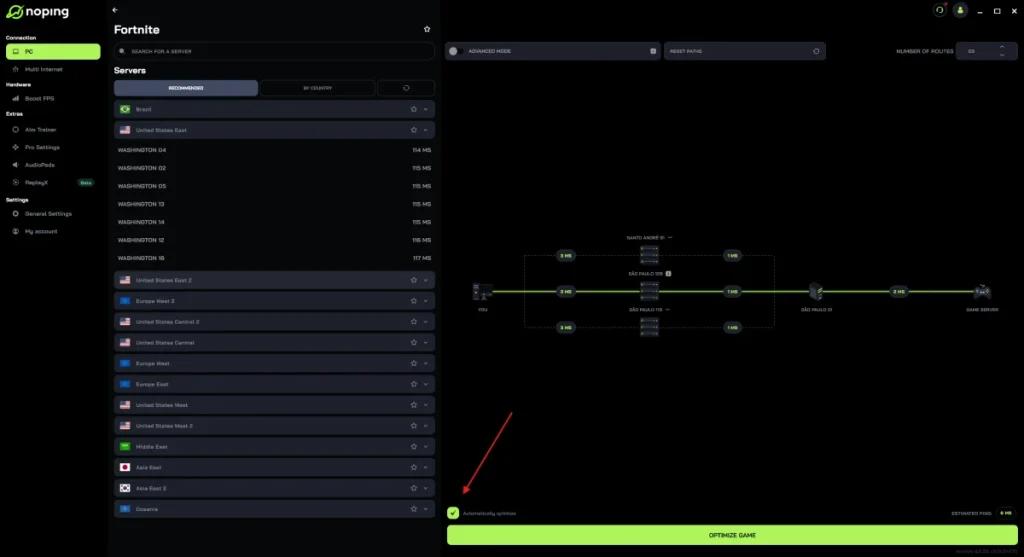
- Then, click "Optimize Game" and start the match
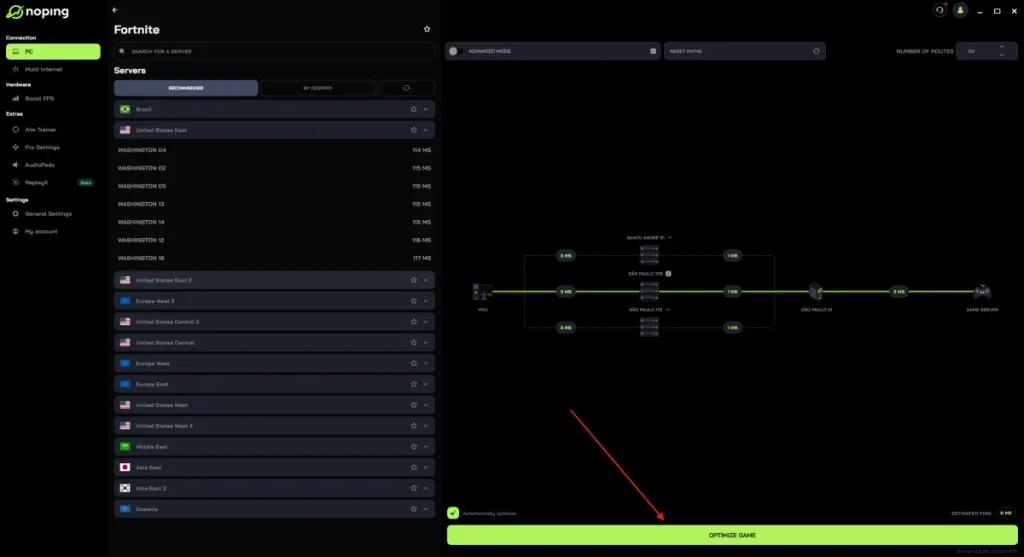
The technology identifies faster routes to servers, which can reduce ping and improve connection stability, especially in scenarios with network variation.
Real-time monitoring helps identify problems
Fortnite itself offers tools to monitor network statistics during the match. By activating this function, the player can view ping in real time and identify oscillations. This monitoring facilitates quick connection adjustments and helps to understand whether the problem is with the local network or the server.
Latency directly impacts competitive performance
Keeping ping low in Fortnite is a determining factor for quick responses and greater accuracy in actions. In competitive matches, small millisecond variations can define the outcome of confrontations. Adopting good network practices, combined with the use of optimization tools, can contribute to a more stable and efficient experience.